

How to Fix Black Edges Appearing on HP W1610 Series Printed Pages
Background
During testing of HP W1610 series printers, our engineers found that black edges could appear on some printed pages, without any prompts being displayed.
This article examines the issue based on actual test results and outlines the troubleshooting process and corresponding solution for HP W1610 series printers.
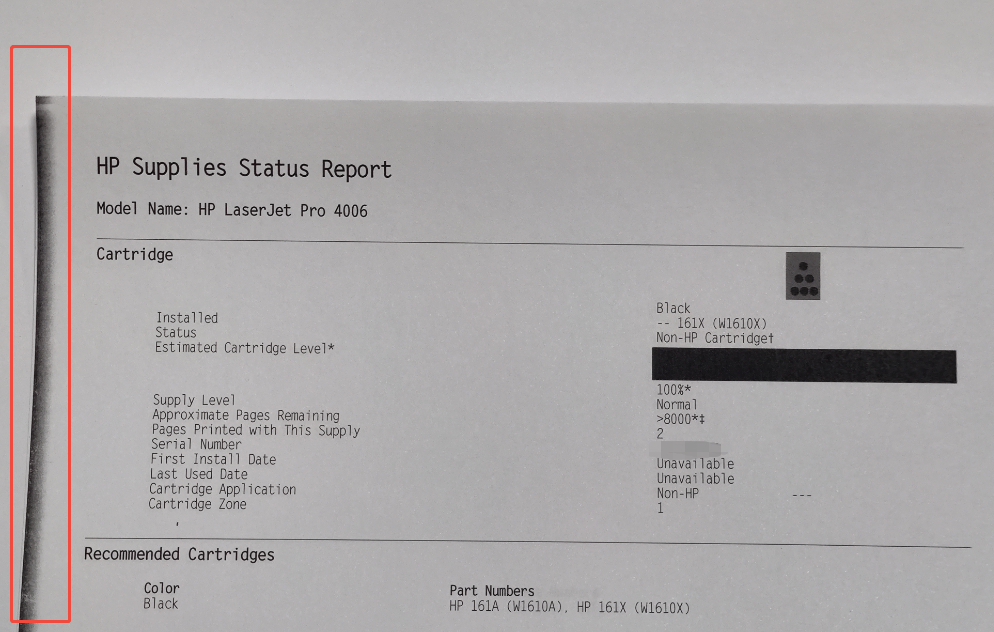
Figure 1. Sample Print with Black Edges
Test and Analysis
The issue occurred on an HP LaserJet Pro 4006 equipped with a low-yield W161A toner cartridge. According to the Supplies Status Page (see Figure 1), the cartridge was installed with a high-yield W161X chip.
To check whether the issue was related to cartridge and chip yield, the engineers tested different combinations of high- and low-yield cartridges and chips.
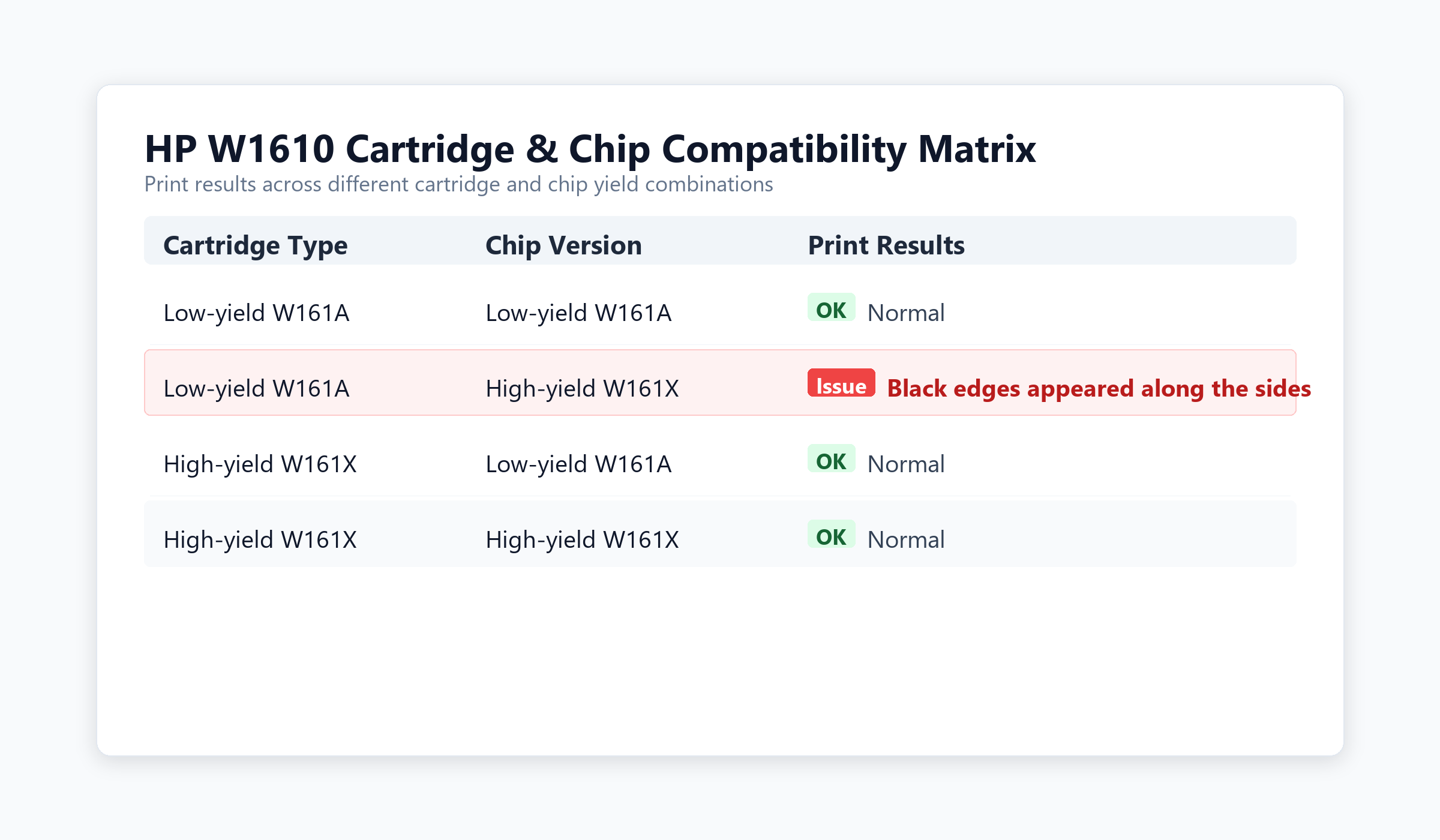
Table 1. Cross-Testing Results
The results showed that the issue occurred only when a low-yield W161A toner cartridge was installed with a high-yield W161X chip.
A further comparison of the structures of the high- and low-yield cartridges (see Figure 2) indicated that the high-yield cartridge includes an additional light guide assembly (see Figure 3).
Based on the cross-testing results, the high-yield chip has a built-in detection mechanism that cannot complete the verification process when used with a low-yield cartridge. Although the printer can still print, black edges appear on the page. In contrast, the high-yield cartridge comes with an additional light guide assembly, which allows the chip to complete its detection process and ensures normal printing.
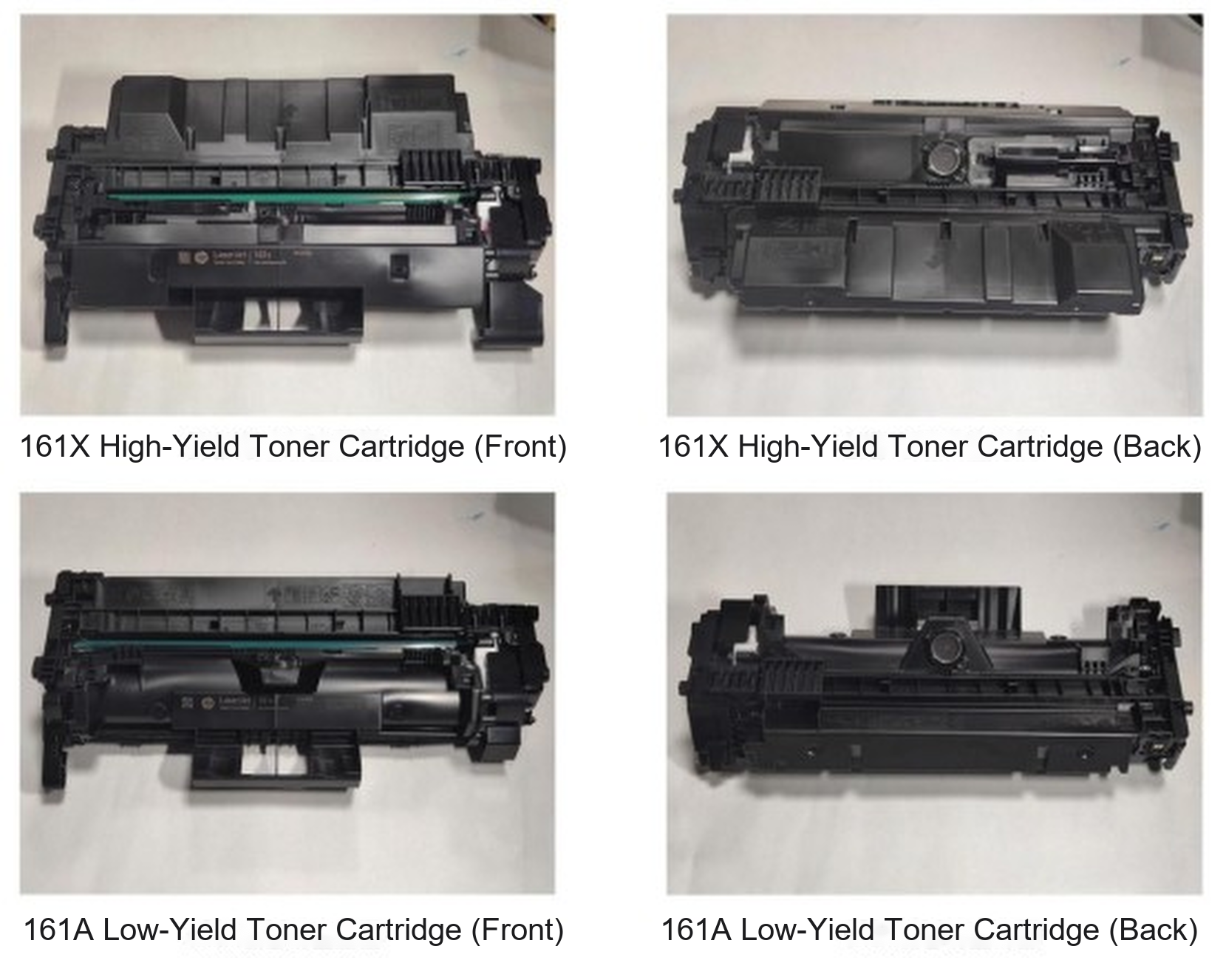
Figure 2. Comparison of High- and Low-Yield Cartridges
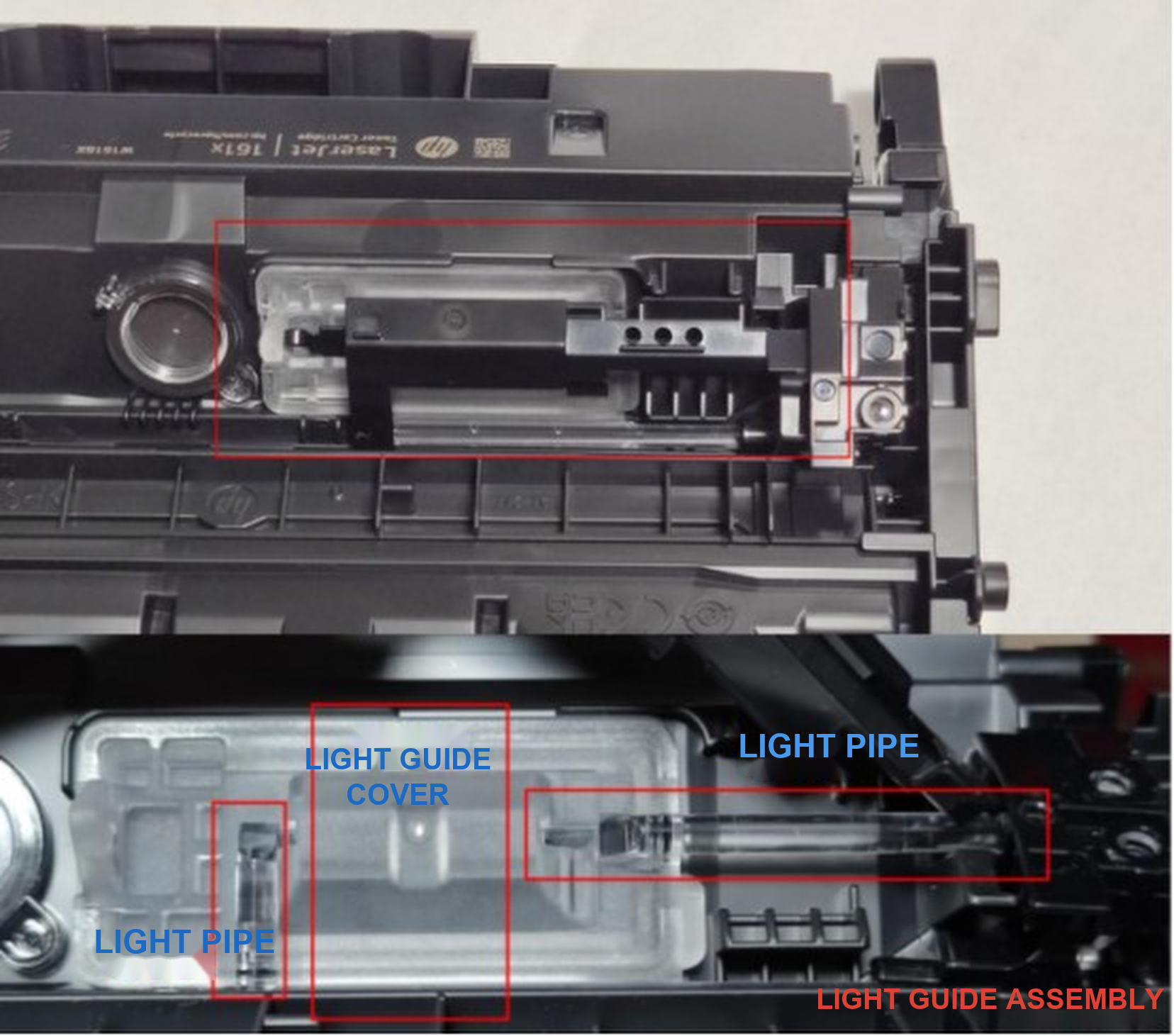
Figure 3. Light Guide Assembly in the High-Yield Cartridge
Solution
1. Check the chip model listed under the [Status] section of the Supplies Status Report. 161A indicates a low-yield chip, while 161X indicates a high-yield chip.
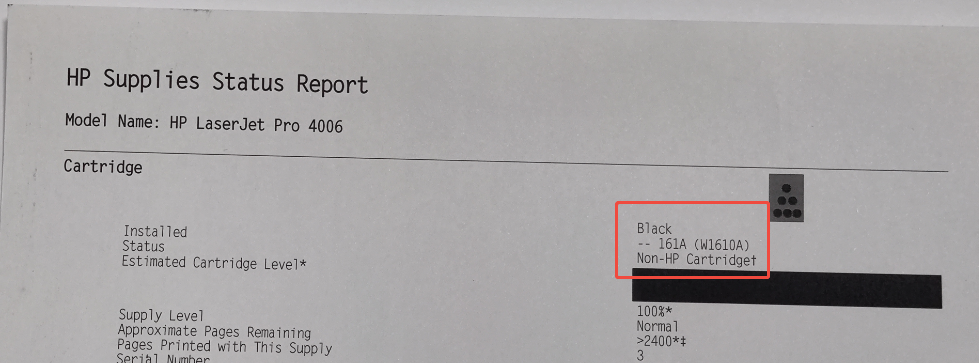
Figure 4. Supplies Status Report
2. Check whether the chip model matches the cartridge type.
3. If a low-yield cartridge is installed with a high-yield chip, replace it with the corresponding low-yield chip and print again.
Summary
Black edges on HP W1610 series prints are not always caused by toner or drum related issues. A mismatch between the cartridge type and chip model can also lead to this issue. If this issue occurs, please check whether the chip model matches the cartridge type.
If you have any questions, please contact your sales representative or send your queries to info@zhono.com.
All images in this article are for reference only; actual products may vary. All brand names and trademarks not owned by our company are the property of their respective owners and are used for reference purposes only.
Related Article
-
Solution to the “Replace MK” Message on Kyocera Printers
29/10/2026 -
Zhono First to Address Firmware Upgrade Issues for Kyocera TK-3400 Series
15/09/2026 -
Zhono Chips Confirmed Compatible with Firmware Upgrades from Multiple Brands in September
28/10/2026 -
HP Printer Shows "Unauthorized Cartridges": How to Fix It
30/07/2026 -
Zhono Chips Confirmed Compatible with Firmware Upgrades from Multiple Brands in June
15/07/2026


